AR Ruler App: Tape Measure Cam
Grymala appsTools
3.96.13K Reviews
- Version
- 3.3.5
- Installs
- 10.00M
- Age Rating
- Everyone
Screenshots
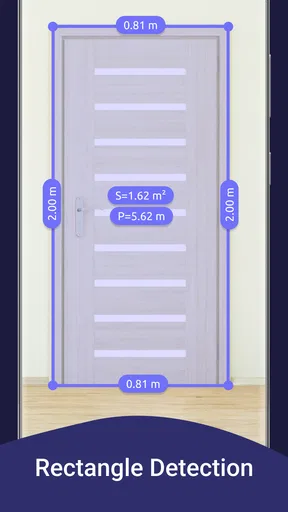
Our Review of AR Ruler App: Tape Measure Cam
 Analysis by Appyee
When I need a quick sense of whether a chair will fit through a doorway or how wide a corner is, I’d rather check on the spot than guess and make another trip for a tape measure. AR Ruler App: Tape Measure Cam turns a phone camera into an augmented-reality measuring tool, which makes it handy for those brief, practical checks. I find it most useful as a first estimate, not as a substitute for a reliable tape when an exact cut or purchase depends on the number.
What the free download gives you
The app is free to download, with in-app purchases listed from $0.99 to $119.99 per item. That range is broad, so I wouldn’t assume every paid option is relevant or buy anything before deciding whether the free access handles your regular tasks. The developer is Grymala apps, and the app is rated for Everyone. Its current version is 3.2.1, and it runs on Android 10 or later.
For a casual user, the sensible approach is to try the basic measuring workflow first and see whether it fits. A phone-based ruler is valuable because it is already in your pocket; paying only makes sense if a particular extra is useful to you. I would not treat the existence of purchases as proof that the free experience is inadequate, nor assume a purchase guarantees professional measuring accuracy.
Getting Started with AR Ruler App
First things first, downloading AR Ruler App: Tape Measure Cam is a breeze. Available on both Android and iOS, it’s lightweight and doesn’t hog a ton of space on your device. Once installed, you’re greeted with a straightforward interface that even my grandma could navigate. The app uses your phone’s camera to measure distances, lengths, and even angles. Pretty neat, right?
Features that Stand Out
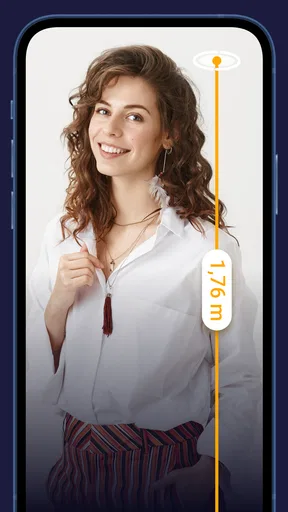
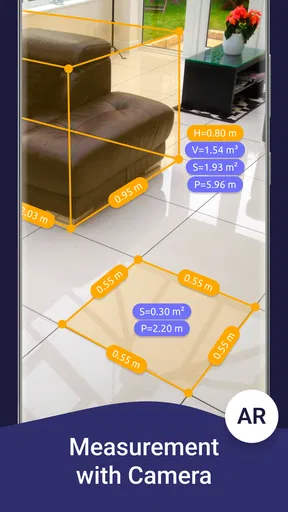
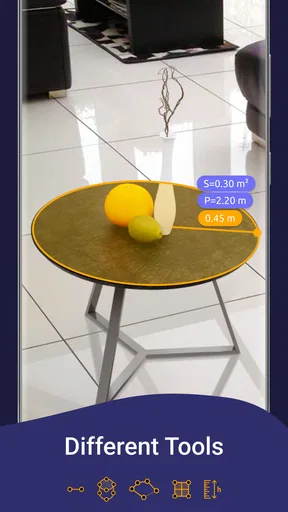
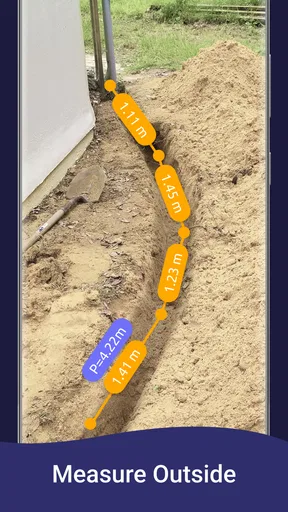
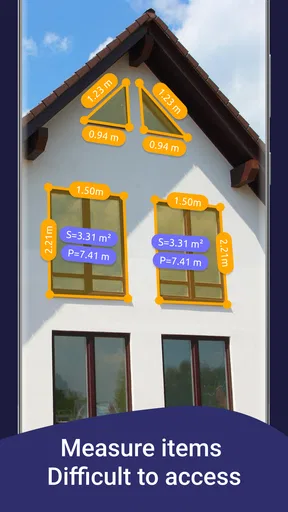
So what makes this app tick? Well, for starters, its augmented reality capability is pretty impressive. You simply point your phone at the object you want to measure, tap on the screen to set your start point, drag to the end point, and voilà! You’ve got a measurement. The accuracy is quite surprising, although it can vary depending on lighting and the surface you’re measuring.
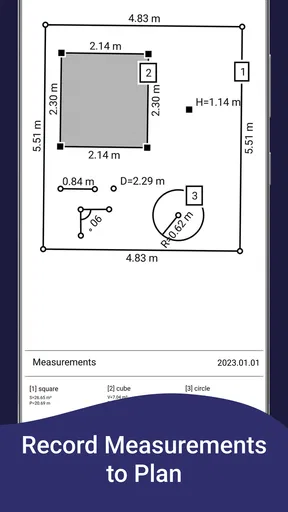
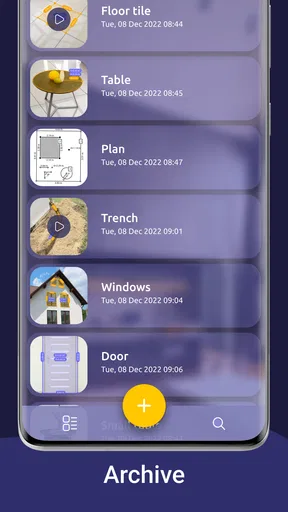
One feature I found particularly handy is the ability to save measurements for later. You can even export them if you need to share with someone else. Another cool addition is the app’s ability to measure angles and even create a floor plan by walking around a room. It’s like having a miniature architect in your pocket.
How I’d use it around the home
The saved-measurement workflow is more useful than it first sounds. If I’m comparing several spots for a bookcase, I can record each opening as I go rather than relying on memory or scribbling unlabeled numbers on a scrap of paper. I’d name or otherwise clearly distinguish each measurement where the app allows it, and note what the number refers to: wall width, usable shelf depth, or doorway clearance. That small habit makes the results easier to use later.
For a room plan, I’d walk around in a deliberate loop instead of sweeping the phone quickly from one wall to another. Pausing at corners and keeping the camera pointed steadily gives the app a better chance to follow the space. I’d also check the plan against a couple of known dimensions, such as a doorway measured with a physical tape. A floor plan created this way is a useful planning sketch, but I wouldn’t hand it to a contractor as a surveyed drawing.
That distinction matters when shopping. Suppose I’m at home considering whether a new table might fit beside a sofa. The app can help me estimate the available floor space and compare the rough footprint before I order. But if the table has to pass through a narrow stair turn, I’d measure that route with a proper tape and account for the table’s shape, not just its listed width. A room measurement alone cannot answer every fit question.
Putting It to the Test
During my testing phase, I measured everything from my living room furniture to the dimensions of my friend’s new apartment. The app performed admirably, although there were a couple of hiccups with very reflective surfaces and low-light conditions. I guess even virtual rulers have their limits!
One thing to keep in mind is that while the app is great for quick, on-the-go measurements, it’s not a replacement for a physical tape measure if you need pinpoint accuracy. For DIY projects or real estate purposes, it’s more than sufficient. Plus, it’s just plain fun to use.
Accuracy, setup, and sensible workarounds
With camera-based measuring, a clean-looking number can still be an estimate. Lighting and surface quality affect the experience, as the tests above suggest, and judging the exact start and end points on a screen can be tricky. I’d hold the phone steady, make the endpoints unambiguous, and repeat a measurement if the result seems surprising. Taking two readings from a slightly different position is a useful check, not a guarantee of precision.
Small objects and awkward shapes deserve extra caution. A curved edge, a soft cushion, or an object partly hidden behind another one may not offer clear points to mark. For a rough comparison, that may be fine; for buying materials that must fit tightly, use a physical tape or another suitable measuring instrument. The app’s convenience is strongest when the question is “about how big is this?” rather than “what exact length should I cut?”
It also helps to decide what you need before opening the camera. A single length, an angle, and a room outline are different tasks, and a quick estimate should not be mistaken for a complete plan. If I’m recording a room for furniture decisions, I’d capture key wall spans and obstacles separately, then verify critical dimensions with a tape. That approach uses the app to narrow options without trusting it with every detail.
Where it sits among measuring options
Compared with a conventional tape measure, this app wins on convenience: there is no need to find or hold a physical tool, and saving or sharing a result can make the process easier. The tape measure wins when I need dependable precision, especially for a cut, a close-fitting installation, or a measurement along an irregular edge. They solve overlapping but not identical problems, so I see them as companions rather than direct replacements.
Compared with simply estimating by eye, the app offers a more structured reference and can help me compare several spaces. Compared with a dedicated laser distance measurer, it avoids carrying another device, but a phone camera is not my choice for consequential measurements. If I were planning a renovation or ordering something expensive that must fit exactly, I’d verify the dimensions with appropriate tools and, when needed, a professional.
Who gets the most out of it
I’d recommend trying it if you often browse furniture, rearrange rooms, check whether a box or appliance may fit, or want a rough layout before making plans. Renters can use it to compare possible furniture positions, and homeowners may appreciate having a quick estimate while deciding what to measure more carefully. The floor-plan option is appealing when an approximate room overview is more useful than a collection of disconnected numbers.
I’d skip relying on it as the only measuring tool if your work depends on tight tolerances, or if you routinely need exact dimensions for construction, cabinetry, or material cutting. Someone who already carries a tape measure and needs repeatable precision may gain little from a camera-based alternative. And if a room is poorly lit or has reflective surfaces, the conditions that can interfere with readings make a physical tool the more dependable choice.
Pricing and Accessibility
The app is free to download, but like many apps these days, it comes with in-app purchases. The free version is pretty generous with features, but if you’re looking for an ad-free experience or need more advanced functions, you might consider the premium version. Personally, I found the free version to be perfectly adequate for everyday use.
It has a 4.0 average from around 235,000 ratings, with about 5,800 written reviews, and has been installed over 10 million times. Those figures suggest plenty of people have tried it, but they don’t tell me whether it will suit a particular phone, room, or job. I’d judge it by a simple test in my own space before depending on it.
Final Thoughts
All in all, AR Ruler App: Tape Measure Cam is a clever and versatile tool for anyone who needs quick measurements without the fuss of a physical tape measure. It’s particularly useful for those spontaneous moments when you need to measure something on the fly. While it may not be the most precise tool in the shed, its convenience factor is hard to beat.
So, if you’re tired of rummaging through drawers looking for a tape measure, or if you’re just a tech enthusiast like me, give this app a shot. It’s a prime example of how technology continues to simplify our lives in the most unexpected ways.
My buy-or-skip verdict
I’d start with the free download and use it for low-stakes decisions: checking approximate furniture clearance, comparing a few wall spans, or saving a room outline to discuss with someone else. That is where the app can save time without pretending to replace a measuring tool built for precision. Since paid items vary considerably in price, I’d only consider spending money after identifying a specific feature I actually need.
In short, it earns a place as a convenient backup, not as the final authority on dimensions. If your goal is a quick estimate while standing in a room or shop, it is worth trying. If a wrong measurement could waste materials, money, or a day’s work, I’d reach for a tape measure and verify the result.
Verdict
Strengths of AR Ruler App: Tape Measure Cam
- Easy to use interface for quick measuring.
- Utilizes AR technology for accurate results.
- Supports multiple units of measurement.
- Can save and share measurements easily.
- Works well in various lighting conditions.
Limitations of AR Ruler App: Tape Measure Cam
- Requires a stable hand for precise results.
- Limited functionality on older devices.
- Occasional calibration issues.
- Dependent on device camera quality.
- May struggle with complex surfaces.
Similar Picks in This Category
View All
Google LLC4.0

Gboard - the Google Keyboard
Google LLC4.5

Google Play services
Google LLC4.3

Google Play Store
Google LLC4.9

Files by Google
Google LLC4.5

SHAREit: Transfer, Share Files
Smart Media4U Technology Pte.Ltd.4.3
Frequently Asked Questions
How accurate is the AR Ruler App for measuring distances?
The AR Ruler App uses augmented reality technology to measure distances with a high degree of accuracy. However, the accuracy can vary depending on the lighting conditions and the device’s camera quality. For best results, ensure your device is updated, and the environment is well-lit.
Is the AR Ruler App compatible with all devices?
The AR Ruler App is compatible with most modern Android and iOS devices that support AR functionality. Devices need to have ARCore or ARKit capabilities. It’s always a good idea to check your device specifications and ensure it’s updated to the latest operating system version.
Does the AR Ruler App require an internet connection to function?
No, the AR Ruler App does not require an internet connection for basic measuring functions. However, some features, such as saving measurements to the cloud or accessing additional resources, may require an internet connection.
Are there any in-app purchases or subscriptions in the AR Ruler App?
Yes, while the AR Ruler App offers basic functionalities for free, it may include in-app purchases or subscriptions for advanced features. This could include additional measurement tools or an ad-free experience. Always review the app’s pricing details in the app store before downloading.
What are the main features offered by the AR Ruler App?
The AR Ruler App offers a variety of features, including measuring distances, angles, and areas. It also allows users to save and share measurements, offers a history of measurements, and provides a user-friendly interface. Some versions might include additional tools like a height or volume calculator.
